Features

Built for the moment someone asks, "So what's the answer?"

Notes, live answers and typing help that work in any meeting app, presentation or lecture.

Live Q&A

Answers the moment a question is asked

VerbaPilot AI listens to your computer’s audio (not your microphone), notices when someone asks a question, and answers it within seconds.
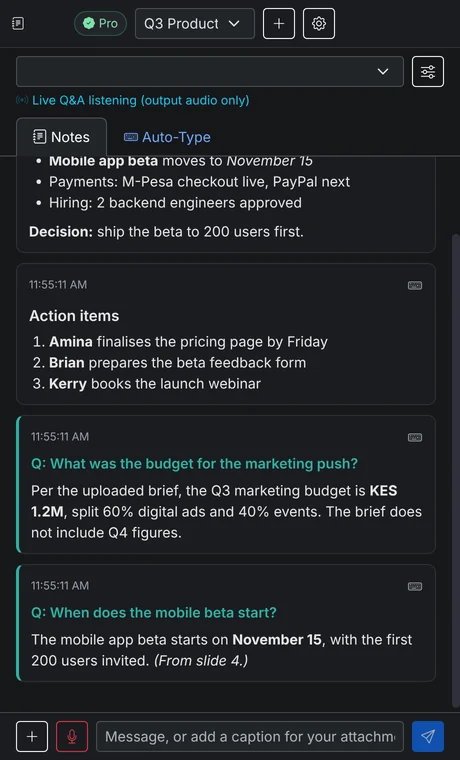
  • Uses your uploaded slides and documents first
  • Says so when the answer is not in your material
  • Only answers real questions, so you are not flooded
  • Keeps working while the window is minimised
Live Q&A answering questions from meeting audio

Screen notes

Clean notes from anything on your screen

Capture a slide, a document or a whole window. Text is read on your computer and turned into tidy notes with decisions and action items.
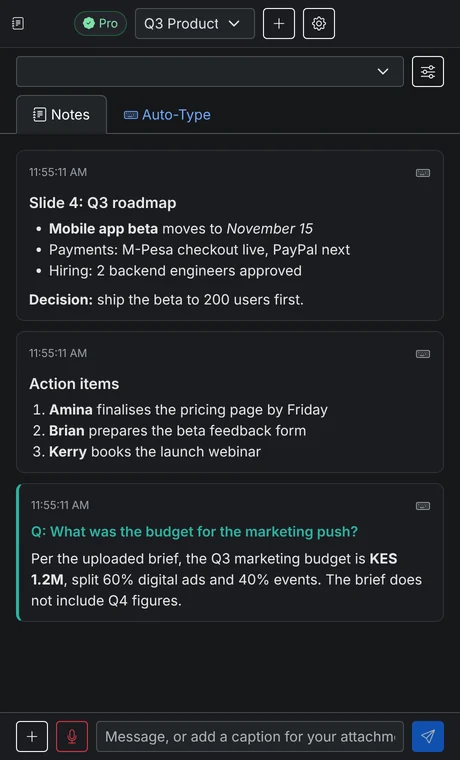
  • On-device text reading (OCR) for screenshots and images
  • Automatic capture every few seconds if you want it
  • PDFs and text files become reference material
  • Ask follow-up questions about anything you captured
Notes and action items created from screenshots

Auto-Type

Types your notes into any app

Send any note to Auto-Type and it types the text where your cursor is: email, documents, chat apps, even remote desktops that block pasting.
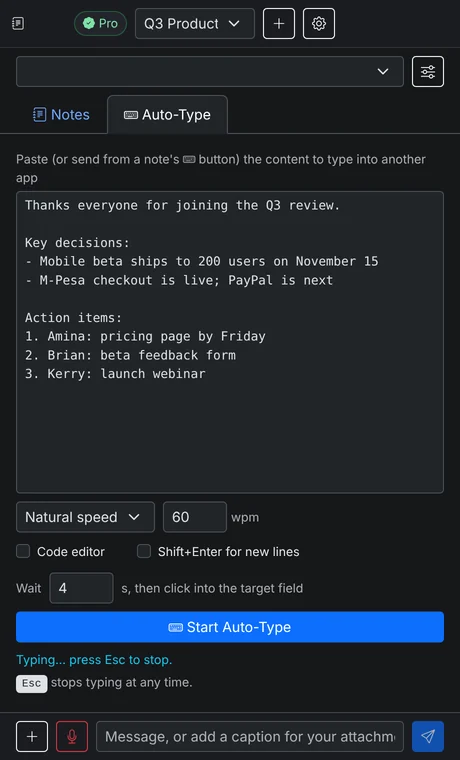
  • Instant or natural typing speed
  • Code-editor mode keeps indentation right
  • Shift+Enter mode for chat apps
  • Press Esc to stop at any time
Auto-Type typing meeting notes into another app

Your AI

Your choice of AI, at your provider’s price

Bring a key from OpenAI (ChatGPT), Anthropic (Claude) or ChatAnywhere. Switch whenever you like, and pick the models you prefer.
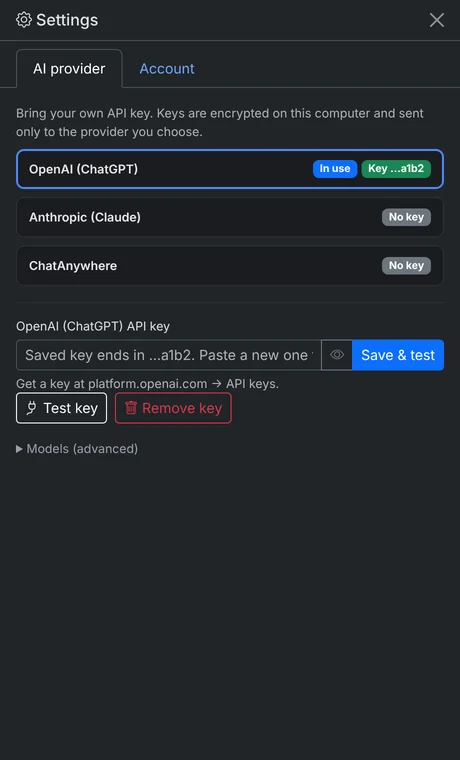
  • Keys are encrypted with your operating system’s keychain
  • Requests go straight from your computer to the provider
  • Test your key in one click before a meeting
  • No AI markup: you pay the provider directly
Choosing OpenAI, Claude or ChatAnywhere as the AI provider

Presenter privacy mode

Share your screen, keep your notes to yourself

Turn on privacy mode and the VerbaPilot AI window stays on your screen but out of your screen share and recordings, so you can read your notes and live answers while you present.
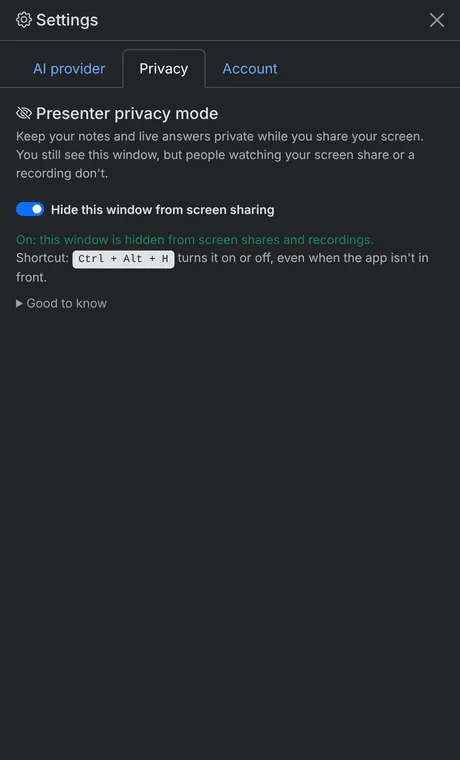
  • Works with Zoom, Teams, Meet and screen recorders on Windows 10 (2004+) and 11
  • Turn it on or off with Ctrl + Alt + H, even mid-presentation
  • A clear "Hidden" badge so you always know which mode you are in
  • Part of Pro, and included in the free trial
Presenter privacy mode switched on in VerbaPilot AI settings

Details

And the details that make it reliable

Meeting recording

Records your microphone and meeting audio together, then writes a summary with decisions and next steps.

Sessions

Keep each meeting, lecture or client separate, with its own notes, files and context.

One computer at a time

Move your account to a new computer whenever you need to, up to 3 times a month.

Works on bad internet

Your plan is checked every few hours and keeps working offline for up to 3 days.

M-Pesa and PayPal

Pay with an M-Pesa prompt, from the Paybill menu, or with PayPal and cards.

Windows, macOS, Linux

One account, any desktop. Your plan follows you when you move computers.

Try VerbaPilot AI free for 3 hours

No card and no API key needed. Download, sign in, and your trial starts.

Chat with us